
MeetNotch
Never miss your meeting again
MeetNotch is a small Mac app that puts your next meeting in the notch. Two minutes before a call, a quiet black pill slides down from your camera with the title, a countdown and a single Join button.
Calendar banners get buried behind windows. Tabs get lost. MeetNotch stays where your eyes already are, on top of full-screen apps and every desktop, so you're never the one everyone is waiting for.
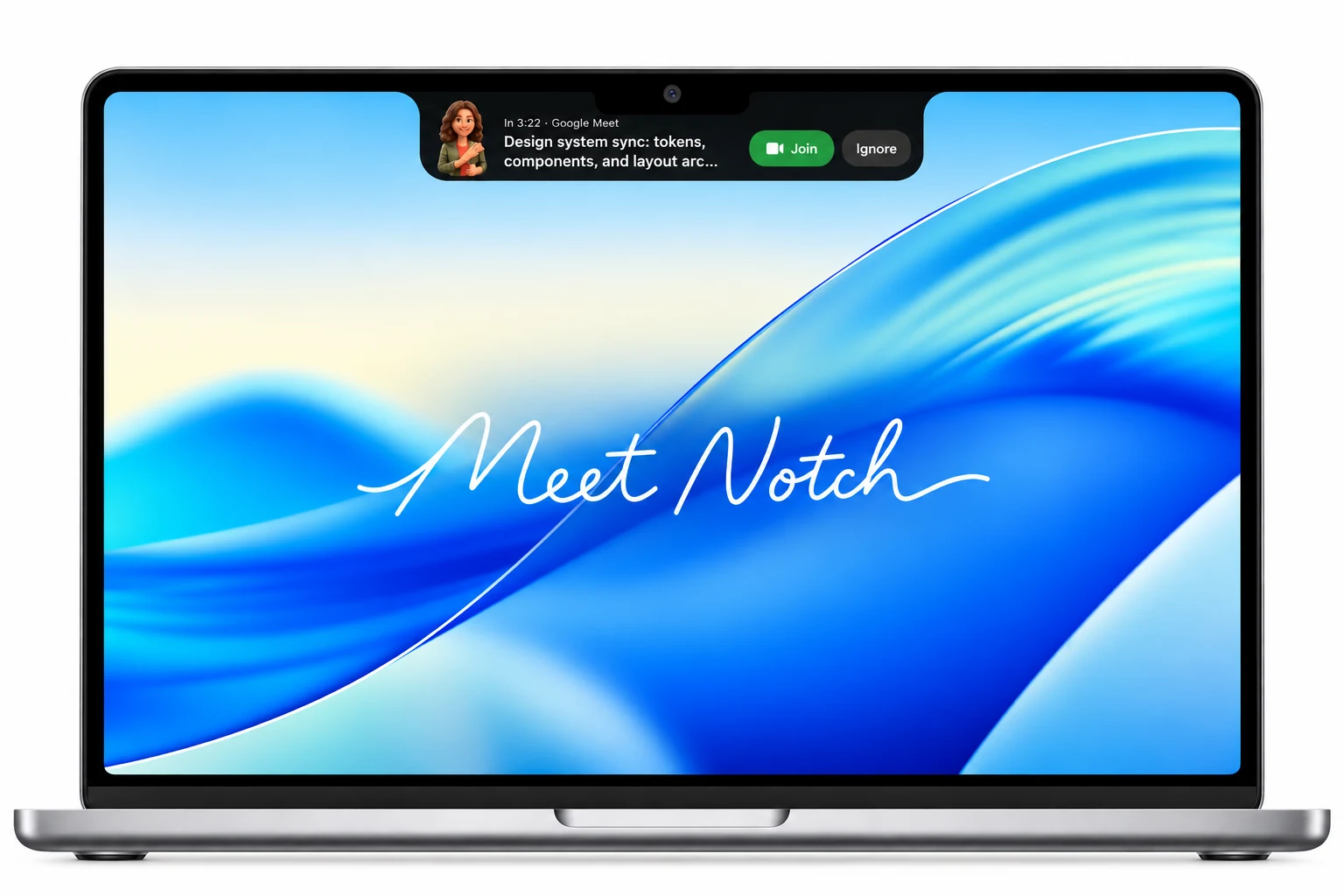
The alert

In 1:58 · Google Meet
Design system sync: tokens, components, and layout arc...
An avatar, the meeting and its platform, a live countdown that turns urgent at twenty seconds. Join opens the call. Ignore gets it out of the way.
Meetings list

Always in view
 Standup in 12m
What's inside
Works with
Setup
- 1
Paste your link. Copy the private iCal address from Google Calendar.
- 2
That's it. Meeting links are found in each event automatically.
- 3
Get on with your day. The notch wakes up two minutes before you're due.
Pricing
MeetNotch is completely free.
Compatibility
MacBook compatible. Built for MacBook Air and MacBook Pro running macOS 13 or later, with Google Calendar integration only for now.
Privacy
MeetNotch never signs in to your Google account. It can't see your email, contacts or passwords. Your calendar is read and processed on your Mac, and nothing is sent to any server.
Installation
- 1
Drag to Applications. Open MeetNotch-Installer.dmg and drag MeetNotch into your Applications folder.
- 2
First launch. Open MeetNotch from Applications. If macOS prompts, click Open.
- 3
Privacy & Security. If macOS warns about an unidentified developer, open System Settings > Privacy & Security.
- 4
Open Anyway. Scroll down to the Security section, click Open Anyway (or Continue Anyway), and confirm to run.
Be on time, every time.
Download for MacFor macOS 13+ · Unidentified developer prompt? See installation steps above